
Shopify Plus checkout
Invoice details,
inside checkout.
On Shopify Plus customers ask for an invoice inside checkout, not in the cart. They type the VAT number and the company details come from AADE or VIES, ready for your ERP.








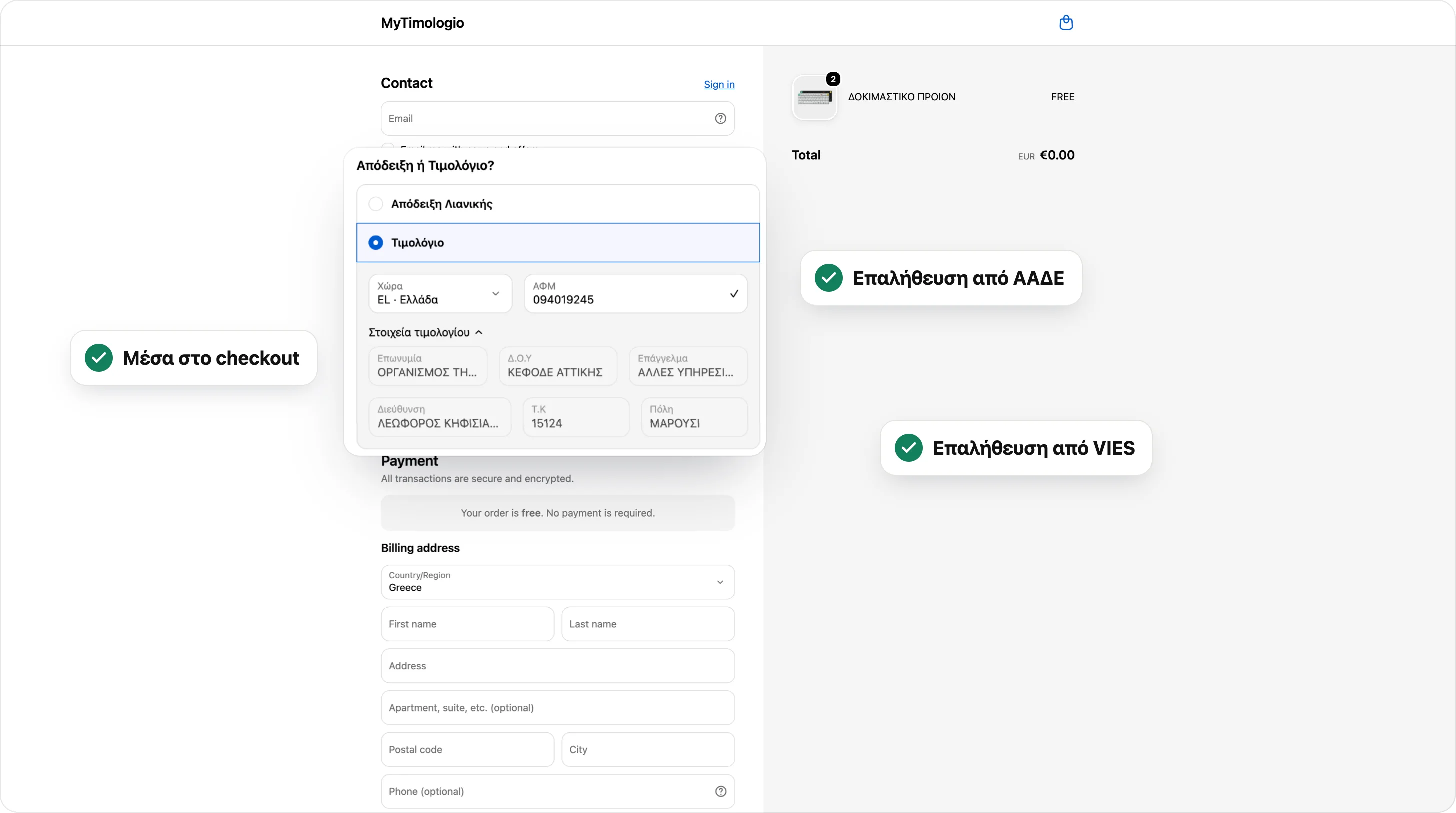
Invoice details in checkout
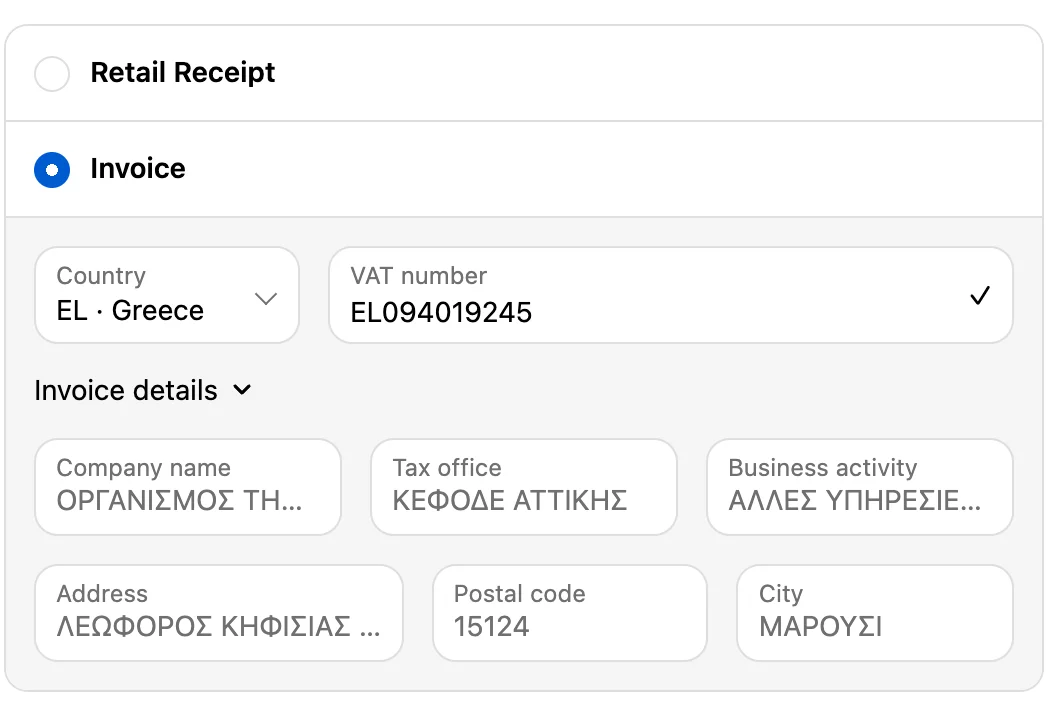
Customers add their details in checkout itself, not in the cart.
Filled in from AADE
Customers type only the VAT number, the rest fills in by itself.
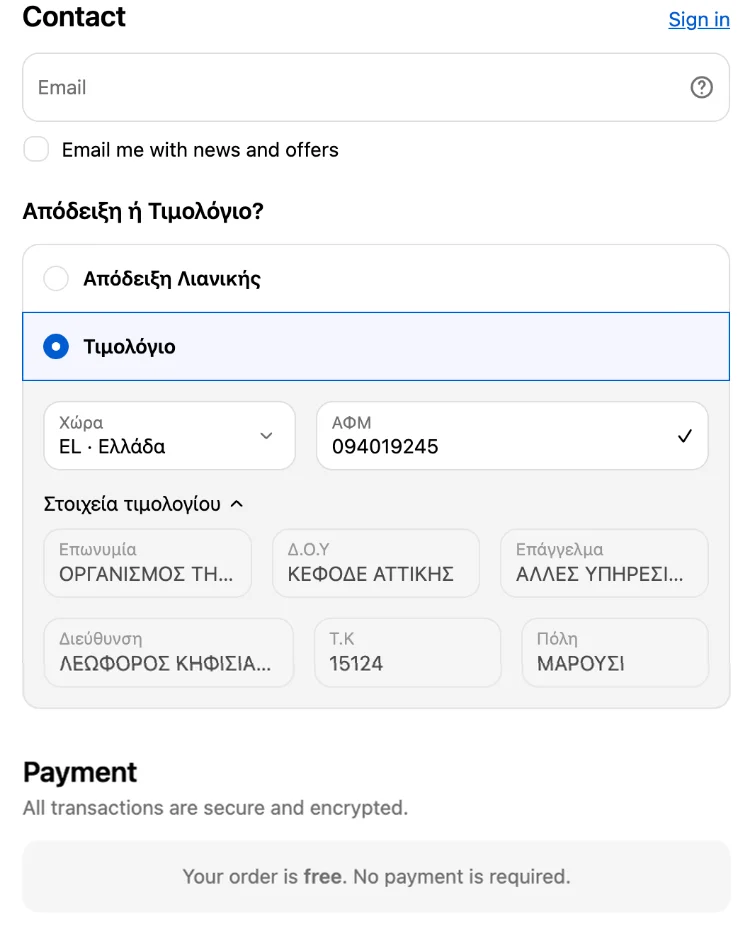
Receipt or invoice
The customer chooses in checkout, before completing the order.
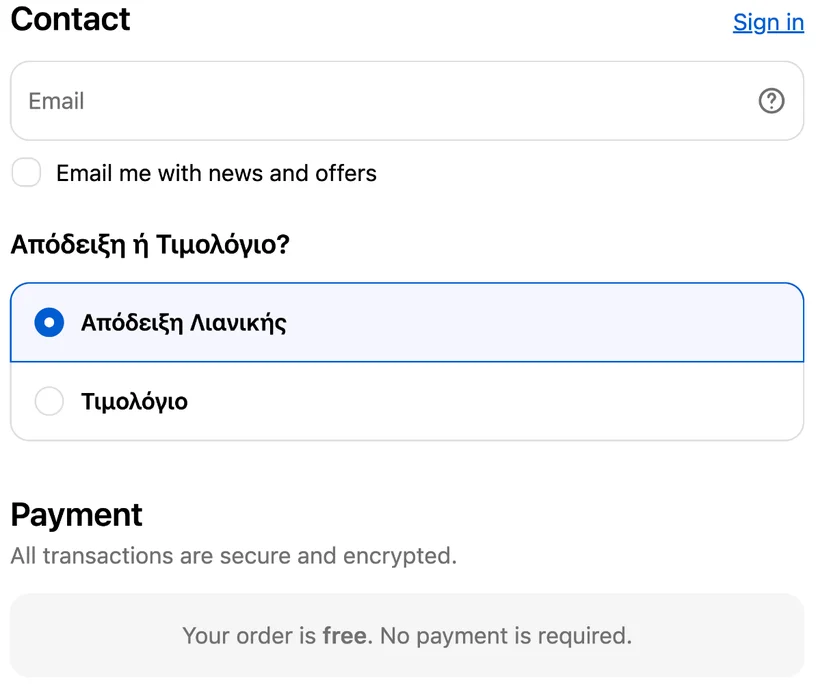
EU VAT numbers too
The customer picks an EU country and VIES checks the number.
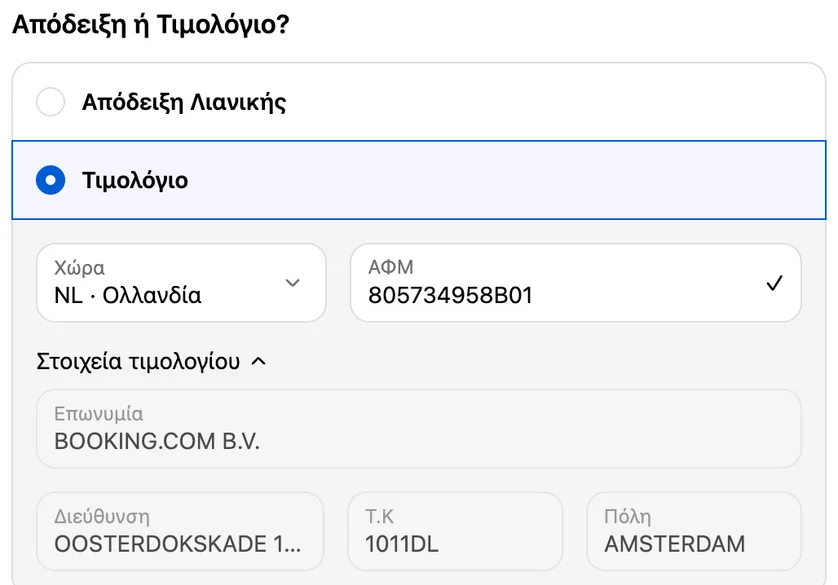
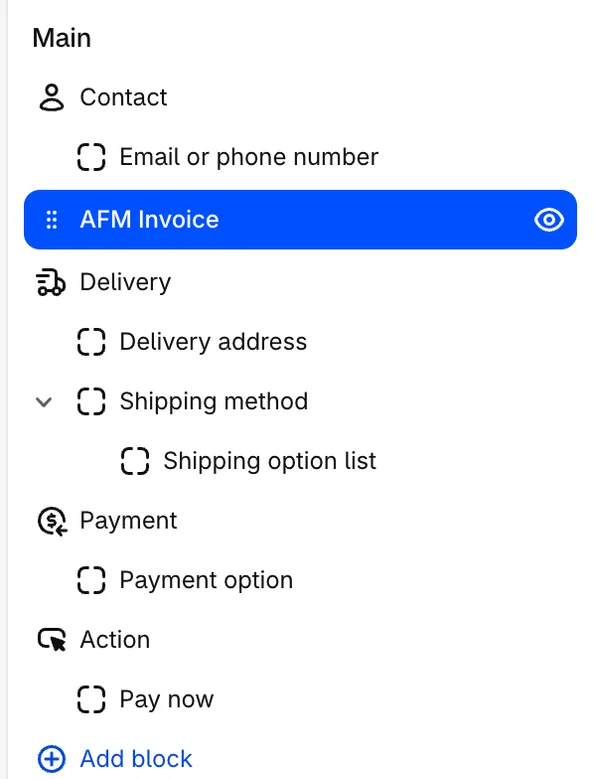
One block in checkout
Add it from the checkout editor in a few clicks, no code needed.
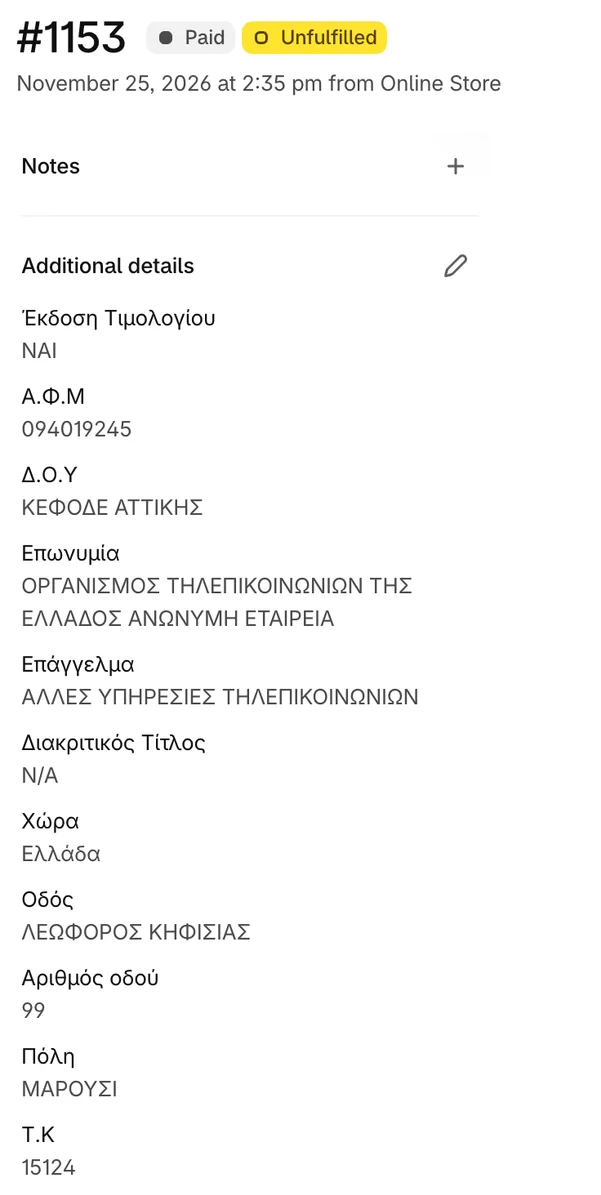
Ready for your ERP
In the order’s Additional details, tagged «Τιμολόγιο».
Greek, English or automatic
Customers see the form in their language, Greek or English.
FAQ
Can I put the form inside Shopify Plus checkout?
Yes. On Shopify Plus, add the «AFM Invoice» block from the checkout editor, with no code. Customers choose a receipt or an invoice inside checkout, and the VAT number is checked automatically with AADE or VIES. It is separate from the cart form and the Thank you page block. On Basic and other plans, use the form in the cart, drawer or pop-up.
Does it work on Basic and other Shopify plans?
Yes. The form collects details in the cart, cart drawer, pop-up or product page using an app block, or the app embed and mount snippet. Details are saved on the order. Only the form inside checkout requires Shopify Plus.
Which countries can I select for VAT validation?
The “VAT validation” setting has three modes. “Greek VAT numbers only (AADE)” checks Greek AFM with AADE. “Greek and EU VAT numbers (AADE + VIES)” sends Greek numbers to AADE and other EU numbers to VIES. “Only VIES-registered VAT numbers (intra-EU)” uses VIES exclusively, including Greek numbers with the EL prefix. It does not mean “all countries except Greece”.
What if the VAT number is wrong or AADE or VIES does not respond?
If the form reports the number as invalid, check the number and country again. If AADE or VIES does not answer at the moment of purchase, the customer completes the order as normal and it gets the tag “ΑΦΜ προς έλεγχο”. The app rechecks the number automatically for about three days: a valid answer fills in the company details and removes the tag, and an invalid one adds the tag “ΑΦΜ μη έγκυρο”. Review orders with these tags before your provider issues a document.
Which fields does my provider read?
The order attributes are “Έκδοση Τιμολογίου” (ΝΑΙ), “Α.Φ.Μ”, “Δ.Ο.Υ”, “Επωνυμία”, “Επάγγελμα”, “Διακριτικός Τίτλος”, “Χώρα”, “Οδός”, “Αριθμός οδού”, “Πόλη” and “Τ.Κ”. The “Τιμολόγιο” tag identifies the request. Share these exact keys with the person managing your existing workflow.